
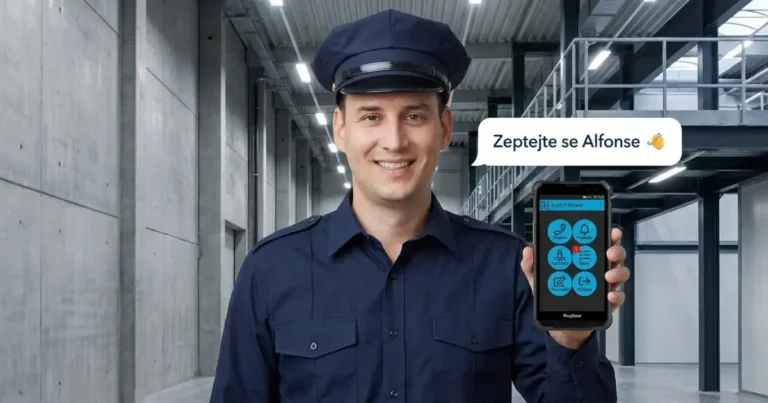
Meet Alfons – your new assistant on the website 👋
We are pleased to introduce Alfons – our new AI assistant, whom you can find right here on the TOUCHGUARD website. Alfons is here to help you navigate our solutions for lone worker protection, online patrols, and digital forms at any time – instantly, without waiting, and clearly. Alfons - AI Assistant What Alfons can …
Číst víceMCP server touchguard.eu
Connect TOUCHGUARD documentation directly to your AI assistant Do you use ChatGPT, Claude, or another AI assistant for work? You can now connect the complete TOUCHGUARD documentation to it. Your assistant will then answer queries about lone worker protection, online patrols, and digital forms directly from our manuals – with a link to the specific …
Číst víceISO 20000 and 27001 Surveillance Audit
We continue to provide services securely and at a high standard. We would like to inform you that on May 14, 2026, we successfully completed the 1st surveillance audit according to ISO 20000 and 27001 standards. You can download the valid certificates at the link below: https://www.touchguard.eu/iso-certifikaty/
Číst víceMobile application 3.51
Support for retrieving data from EU ID cards and passports in Visits, using a wireless document reader. Forms that are used for Visits do not appear in the standard list of forms. Support for correct display on ecom by Pepperl+Fuchs Smart-Ex 203. In asset management, when a user card is loaded, other records are hidden. …
Číst víceMobile application 3.48
Support for loading multiple visitor cards and assets Tasks can be assigned to more than one person Tasks change colour according to the expiry date
Číst víceSERVER 3.63
Data exports from the system are sorted by event ID Asset management displays the Name (Personal Number, Note) directly in the asset overview. You can also filter by these fields Display the name of the asset in the loan details Added Bluetooth permission enforcement (especially for lone workers using indoor Bluetooth transmitters - iBeacons) Modify …
Číst víceMobile application 3.47
Full Android 15+ support The GPS right in the background of the app is now confirmed right on the rights screen When pairing, the IMEI can be retrieved using a new button that switches the user to Phone Settings, from where the IMEI can be easily copied.
Číst víceMobile application 3.46
Lone worker alarms are uploaded to a higher priority server (skipping the queue of other events) Asset management - advanced search by first name, last name, personal number and note Added support for launching Frekr and Microsoft Authenticator from Touchguard In the form, in the field for numbers it is possible to fill in a …
Číst víceMobile application 3.45
Functions Lone worker protection and Vigilance support Work shifts. Setting a work shift for these features determines the time when the feature is active. Outside of shifts, the feature is deactivated. If no shift is set, the feature remains active at all times. In Forms, you can name the Date and Time field Added support …
Číst víceSERVER 3.62
Tasks Task templates - tasks can be predefined and saved as a template, allowing you to create a task in a few clicks Tasks can now also be completed by any event, such as logging into the system, starting an errand, etc., including conditions (e.g. logging in a specific user or starting a specific errand) …
Číst víceSERVER 3.61
Redesigned licensing page Added the ability to automatically receive calls from certain phone numbers to the watch. ATTENTION - numbers must be entered in the form +420xxxxxxxxxxx. Users have 2 new options Can receive visitors - means that this person will appear in the list of people who can receive visitors Can borrow property - …
Číst víceWATCH 3.39
Translation of SMS "lone worker alarms" into English Display heart rate values in the app Watch does not send coordinates 0.000,0.000 (position not detected) Incoming call screen added
Číst víceMOBILE APPLICATION 3.39
The IMEI can be skipped and can only be entered on the web when pairing In forms it is possible to add a static image (jpg, less than 1 MB, resolution from 50x50px to 1920x1080px) to the template Asset management includes full-text search The screen that asked you to install other apps has been removed …
Číst víceMOBILE APPLICATION 3.38
Optimise performance when working with functions. The application only synchronizes data for enabled functions. This saves data transfer and synchronization time and reduces the performance requirements of the mobile terminal. Unwritten forms (i.e. those templates that have been opened but not submitted) are marked with a "pencil" icon. WARNING - if a form is unwritten …
Číst víceSERVER 3.60
The button labels of the mobile terminals are displayed immediately after pairing and no longer need to be switched on manually Added option to import Devices using CSV PDF reports have numbered pages Changing the calibration value for free fall detection CSV export of the current status of asset loansk
Číst víceTOUCHGUARD 3.59
Limit for export to PDF increased to 500 and for CSV to 1000 Visits support the integration of multiple forms, from which it is possible to choose the appropriate one for each individual visit The shift display box in the Overview shows the names of the people present on the shift Added Google Messages support …
Číst víceTOUCHGUARD 3.58
Visits allow you to enter the weight on arrival and departure and view the weight difference Visits report added to report planner
Číst víceTOUCHGUARD 3.57
Preparation for Instant messaging - only on the server for now. It will be possible to send messages between users (in the future also between mobile terminals We organize audio attachments in m4u format The attendance card has been changed to an ID card (identification) - this will be used for other functions we are …
Číst víceTOUCHGUARD 3.56
In Site Settings, the Site ID is displayed in parentheses. This can be used for integration with third party systems via REST API The checkpoint may be form bound. If a form template is assigned to a checkpoint, when the checkpoint is loaded, the form opens for filling Added the ability to activate GPS in …
Číst víceTOUCHGUARD 3.55
For TOUCHGUARD Mobile version 3.36 the send queue has been redesigned. It is now faster and allows data repair without data loss in case of a jam. Added applications What3Words Texecom Connect V2
Číst víceTOUCHGUARD 3.54
User Rights Profiles - The ability to prepare a rights template. When creating users, just select a profile and rights are set with one click User import - using CSV you can set up a user profile incl. PIN, password, rights profile and other data TOUCHGUARD apps can only be updated from the web or …
Číst víceTOUCHGUARD 3.53
Visitors' book - a new function is launched in the PRO license level for recording visits Notifications in the Overview contain a link to the source event Errors in errands Form created Tasks KPI Sensors now support SDS Mini web thermometer You can also search in detail in form reports by the selected value of …
Číst víceTOUCHGUARD 3.52
Asset management added permissions on property, i.e. who can borrow what. Permissions can be managed for both assets and users loans can be signed with a finger (since TOUCHGUARD 3.31 for mobile terminals) Added thermal camera support for CAT S62 Pro phones The Journal added support for linking with forms KPI support for a …
Číst víceTOUCHGUARD 3.51
Event log - a brand new feature that replaces the operation book Added the application čTečka, which is used to check the validity of the certificate of vaccination or COVID-19 disease
Číst víceTOUCHGUARD 3.50
Redesigned KPIs - in addition to time, KPIs can now be driven by the number of events combined with duration. The KPI does not expire after the time has elapsed, but waits for the desired event to arrive. When the KPI has recorded the desired number of events, the KPI resets and counts again until …
Číst víceTOUCHGUARD 3.49
Machines and Parts - new function that allows you to store information about machines and equipment that can be used to fill in forms for the future. Barcode support for Devices
Číst víceTOUCHGUARD Mobile for Android 3.27
We have released a mobile app for Android with lots of new features .
Číst víceTOUCHGUARD 3.48
Forms (available from version 3.27 for Android) Groups of items Random selection from a group of items Separator - for optical separation of groups of items in the form Title - displayed in the form Predefined text - text/paragraph that will be displayed in the form Tasks Attachments - documents that can be uploaded to …
Číst víceTouchGuard 3.47
Some new features require the TouchGuard mobile app version 3.26+ Attachments now also support video recording (video quality is determined by phone settings) or inserting any document from the phone (supported formats: doc, docx, xls, xlsx, pdf, zip, dwg, jpg, png, tiff, avi, mpg, mp4) Tasks support completion by filling out the form. Thus, a …
Číst víceTouchGuard 3.46
Possibility to set the size of attachments from 0.3 Mpix to 5 Mpix (in Mobile Terminal functions). Supported since Android version 3.25. Errand statistics in reports
Číst víceTouchGuard 3.45
Setting to delete old data from the site. It is possible to set the number of months for which data will be kept on the server Option to set Silent alarm - in case of an alarm triggered by the SOS button, the alarm will not be displayed on the mobile terminal and no phone …
Číst víceTouchGuard 3.41
Personal number is displayed in the attendance export Automatically generated reports sent by email contain the name of the location in the subject line
Číst víceŽádné příspěvky nenalezeny.
Some preview images in this section are AI visualizations (images generated using artificial intelligence)