
Legislation
The solution follows the requirements of Act No. 309/2006 Coll., which requires employers to organise work in such a way that employees at workplaces with increased risk do not work alone without the supervision of another employee, unless their protection is otherwise ensured. TOUCHGUARD offers just such a technical solution and has based its system design on the principles of the British Standard BS 8484 for lone worker protection services.
How it works
TOUCHGUARD is based on an application for mobile phones and tablets that monitors unusual events during activity which may indicate a threat to the worker. Individual detections can be combined and configured separately for each mobile terminal.
Free fall
The system detects a fall from height or a situation corresponding to a free fall of the device.
Impact
Evaluation of a sudden impact that may indicate an accident or worker collapse.
Tilt
Detection of non-standard device position corresponding to a fall, collapse or prolonged lying.
Inactivity
If the worker does not move for a defined period of time, the system evaluates the inactivity.
Vigilance
Regular call to confirm that the worker is okay. Without a response, an alarm may follow.
Offline status
The system also monitors for loss of data connection, because without a connection the alarm may not be delivered to the server.
Alarm process
The system automatically detects certain risk situations, or an alarm can be triggered manually.
The system detects a risky situation
For example, inactivity, tilt, impact or free fall. Trigger conditions can be combined according to the specific workplace, the type of operation and the riskiness of the activity .
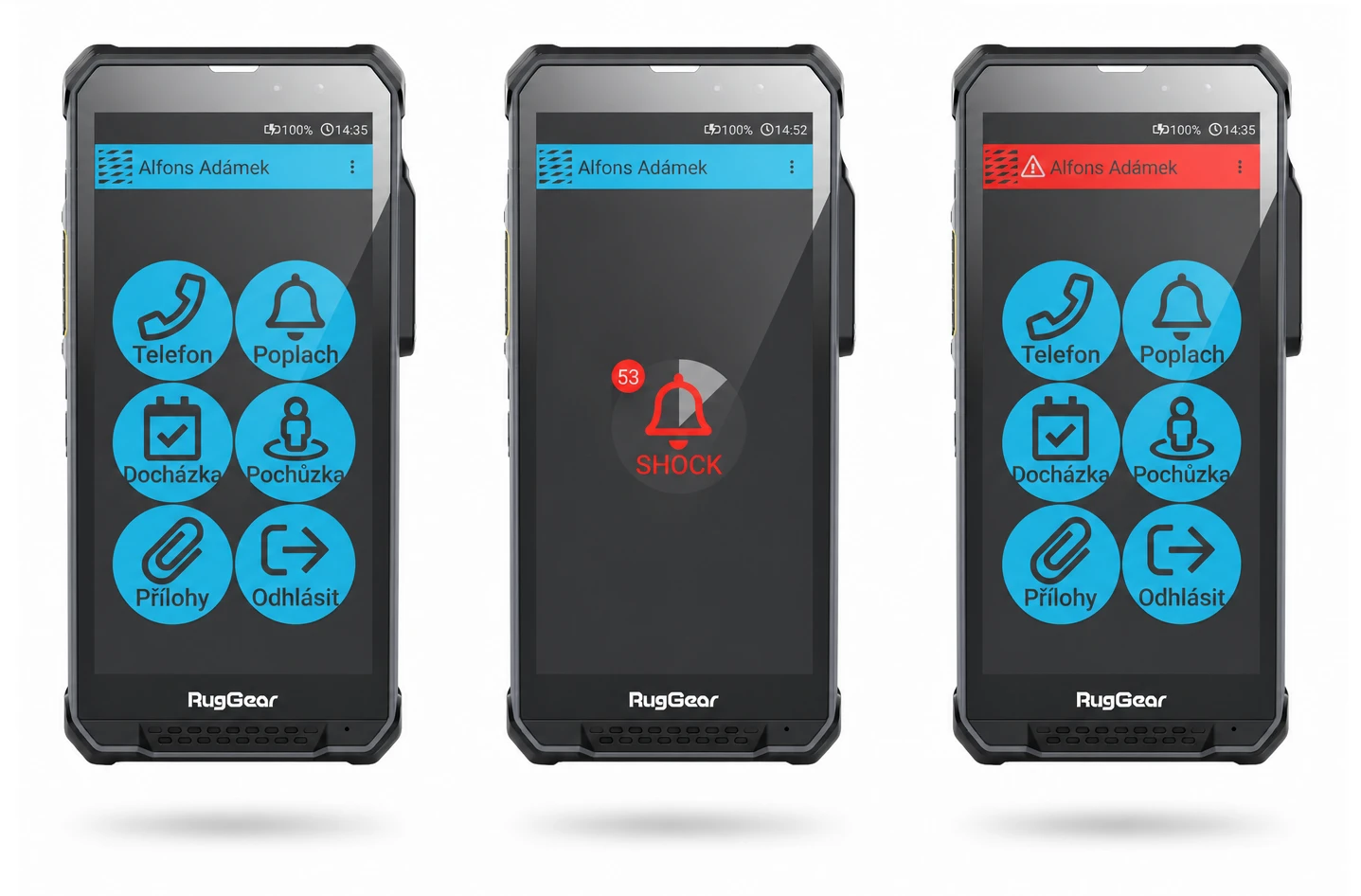
The pre-alarm will be triggered with a countdown
An alarm button appears on the phone display and an audible alarm sounds. The pre-alarm usually lasts 30 to 60 seconds and gives the worker a chance to confirm that he or she is OK.
The worker can cancel the pre-alarm
If there is no real threat, the pre-alarm can be cancelled directly at the mobile terminal. This helps to reduce false alarms, for example, during a routine break or when the device is put down.
When the time expires, a sharp alarm is triggered
If the employee does not respond, the phone automatically goes into alarm. This is manifested by the application turning red and the pre-alarm sound signaling stopping.
The alarm is sent and help is initiated
Depending on the system settings, the alarm is sent to the server, SMS can be sent and the device automatically dials defined phone numbers until someone answers the call.
Important
The pre-alarm is a key element of protection because it reduces the number of false alarms, but at the same time does not delay the actual crisis situation. If a worker does not respond, the system automatically goes into a live alarm without the intervention of another person.
Manual alarm declaration
In addition to automatic detection, the worker can also trigger the alarm himself. This is important in situations where the person is conscious and needs to call for help immediately.
SOS by hardware button
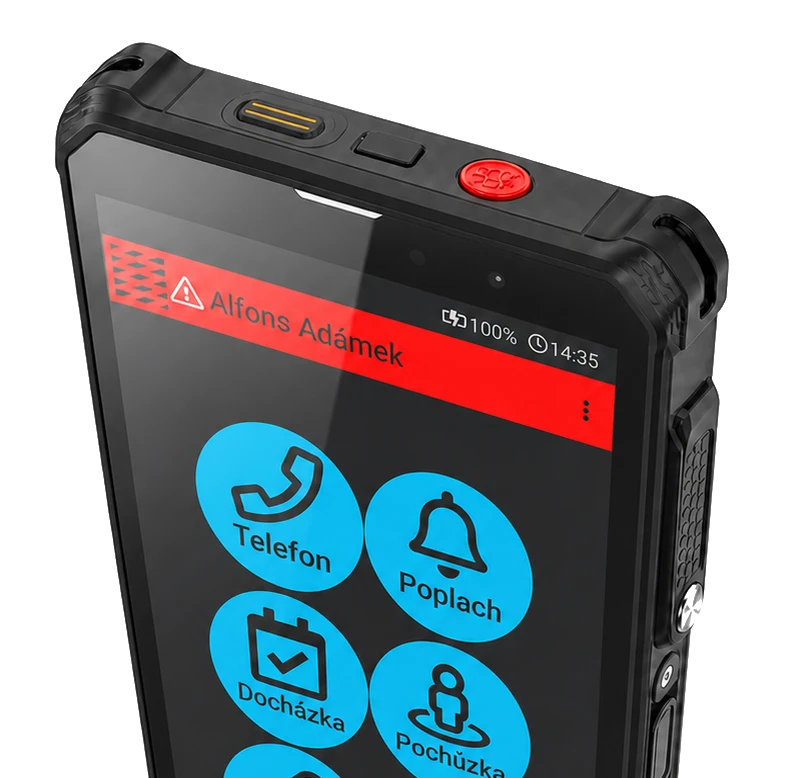
On supported terminals, the alarm can be triggered by long pressing the hardware SOS button. Successful announcement is signalled by a vibration of the phone.
Button on the display
The alarm can also be triggered by holding down the Alarm button on the screen. The user can see the progress of the activation and when it is complete, the phone switches to the alarm state.
What happens after the alarm is sounded
The system offers multiple ways to signal an alarm and these can be combined according to the operational needs of the organisation. This can make the response faster and more reliable.
Alarm to server
The alarm is displayed in the web application, where the dispatcher or responsible person can see the alert and related information about the device and location.
SMS notifications
The system can send an SMS with the user's details, the cause of the alarm and GPS location to predefined contacts.
Automatic call
The phone dials the defined numbers in a set order until one of the contacts answers the call and starts the speakerphone communication.
| Area | How it works | What it brings in practice |
|---|---|---|
| Prealarm | Timed countdown with audible alarm and cancellation on the phone. | Reduces false alarms while maintaining automatic follow-up to a live alarm. |
| Sharp alarm | When the pre-alarm expires, the alarm is automatically sent and the defined signaling channels are activated. | It ensures that the responsible persons are quickly informed without the need for further intervention by a staff member. |
| Located at | Worker position can be tracked outdoors and indoors, including a map view of the alarm. | It helps to speed up the tracking of a worker in a crisis situation. |
| Offline status | The system monitors for connection loss and can alert you to it. | It warns of a situation where the protection may not be fully functional due to unavailability of the data network. |
Web application for dispatching and management
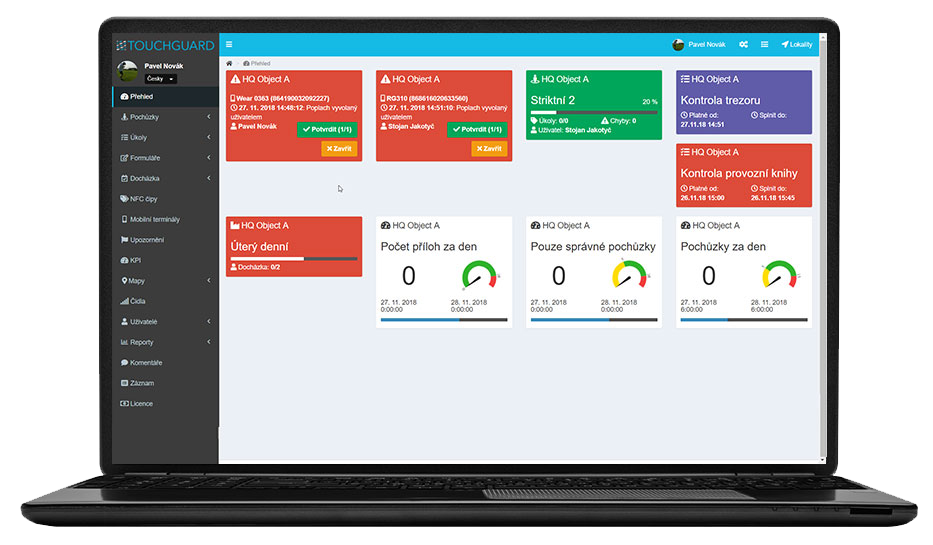
The server part of TOUCHGUARD is accessible via a standard web browser and allows complete management of mobile terminals, user rights, signalling methods and setting of Lone Worker functions for individual devices.
Overview of alarms
The dispatcher can see the alarms in the application overview and can react quickly to the event.
Settings for each terminal
Each mobile phone can have its own combination of detection, signalling and activation conditions.
Rights and structure of sites
The system supports both user permissions and a site tree structure for larger organizations and multiple sites.
Outdoor and indoor location
The worker can be tracked by GPS data and, in the case of indoor spaces, also by iBeacon infrastructure. The solution can also include geofencing to monitor presence in required or restricted zones.
Position in the context of an alarm
When an alarm is triggered, the server part of the application can display where the device is and where it was before the event. This is essential for quick response and sending help to the right place.
What you need for reliable operation
The app is designed for use on rugged mobile devices and the worker must have the phone with them at all times, ideally attached to a belt or otherwise stably positioned. Sufficient connectivity (mobile operator network and/or Wifi) should also be provided for alarm transmission.
Important notice
If the device loses its data connection, lone worker protection may not work fully. Therefore, the system can also monitor the offline status and alert when the connection to the server is unavailable.
Who is the solution suitable for



Frequently asked questions
Can the application be locked to prevent the phone from being misused for private purposes?
Yes, TOUCHGUARD includes a "guard" function that locks the phone to the required purposes only and prevents misuse of the device for private use. This makes it impossible to browse the internet or use social networks. This function is optional.
Does the solution also work in buildings?
Yes, localization can be handled not only via GPS outdoors, but also using the iBeacon infrastructure indoors. iBeacons are battery-powered Bluetooth transmitters with a lifetime of up to 2 years.
How to get a sample solution?
Just contact us and we will be happy to present you with a solution according to your type of operation.
Is it also possible to use location data?
Yes, location data can be part of the solution if the company uses GPS.
What do I need to run TOUCHGUARD?
Internet access and Android phone only + NFC function for chip loading
What if my phone loses internet?
If the phone loses data connection but voice call and SMS are available, the phone will use these 2 communication channels to notify you of the alarm. The system will alert you to this condition, but without a data connection, lone worker protection may not be fully functional.
What is the difference between lone worker protection on a smartwatch and on a mobile phone?
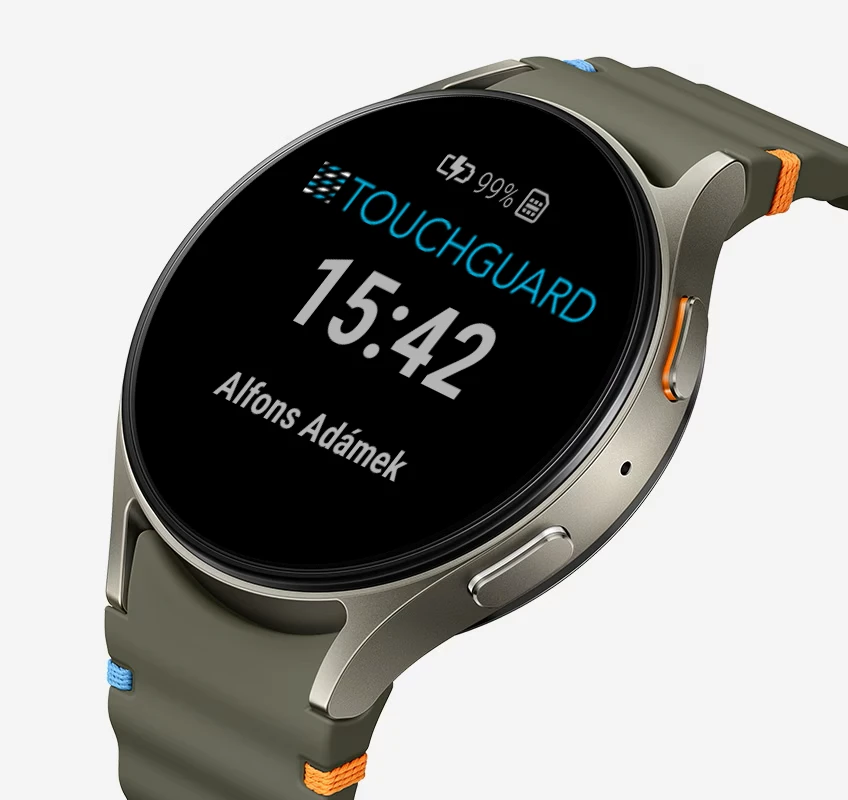
The smartwatch version is the most compact and focuses purely on lone worker protection directly from the wrist, without the need to carry a phone.
The mobile version can cover broader scenarios and additional functions, but a device in a pocket or on a belt is not always practical; therefore, the smartwatch version makes sense wherever simplicity and minimal burden on the worker are important.
What situations can the system monitor?
Inactivity, tilt, bump, free fall, wakefulness and also loss of data connection of the device.